

A digital health record for your pet
Take a photo. Skip the data entry.
Medication, documents, and dose reminders in one place.
Dossipet reads the details from a photo, builds the schedule, and keeps track of every dose. You review and approve each entry before it lands in the record.
How it works
From a photo to a finished entry.
No tiny labels to retype. No spreadsheet to keep up to date.
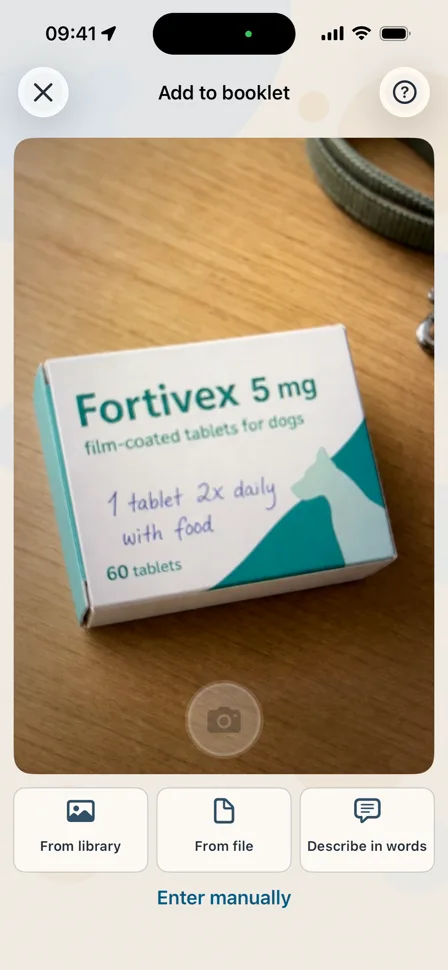
Take a photo
A medication box, a prescription, or a health-record page. You can also upload a PDF or just describe it in words.
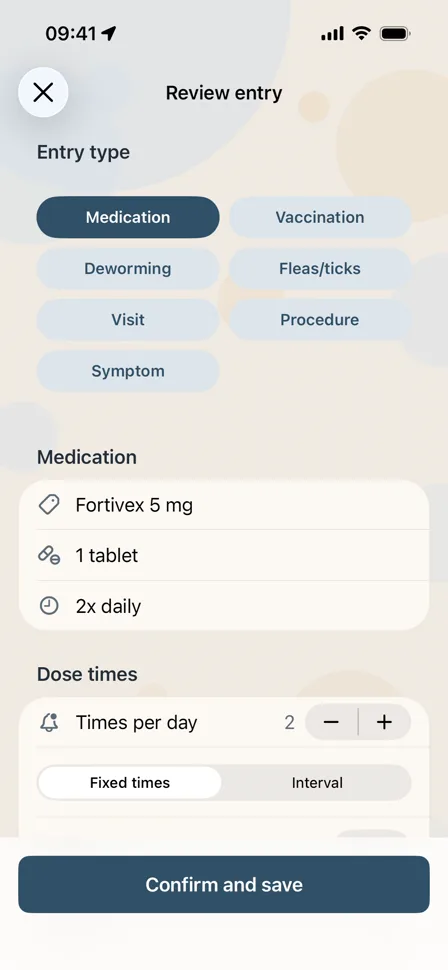
Check the read-out
Dossipet shows what it found. You correct and confirm before anything is saved.
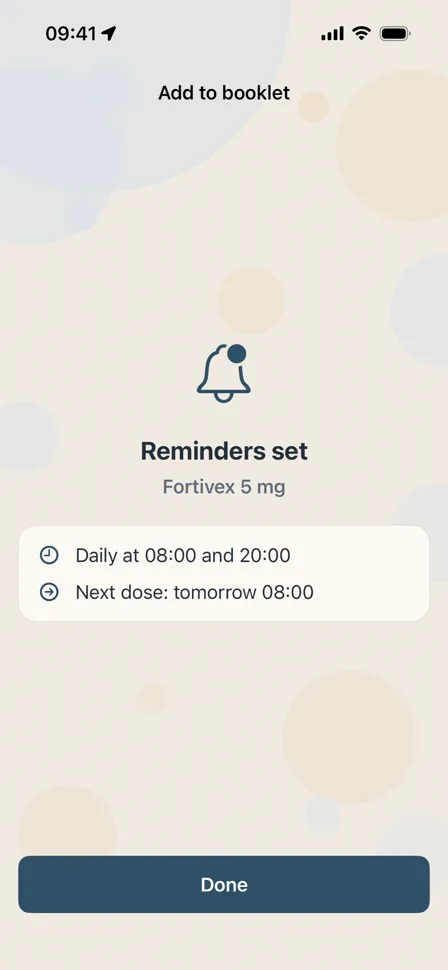
Done
The entry is in the record, the schedule is set, and a notification covers every dose.
The original is one tap away
Every imported entry stays linked to the photo it came from, so you can always open the original and compare the details.
What Dossipet does
The whole routine, in one app.
No roadmap promises — everything below already works in the beta.
Three ways to add an entry
A photo, a PDF, or a plain-words description — whatever you have at hand.
A complete health record
Medication, vaccinations, deworming, flea and tick care, vet visits, procedures, symptoms, and weight.
Schedules and reminders
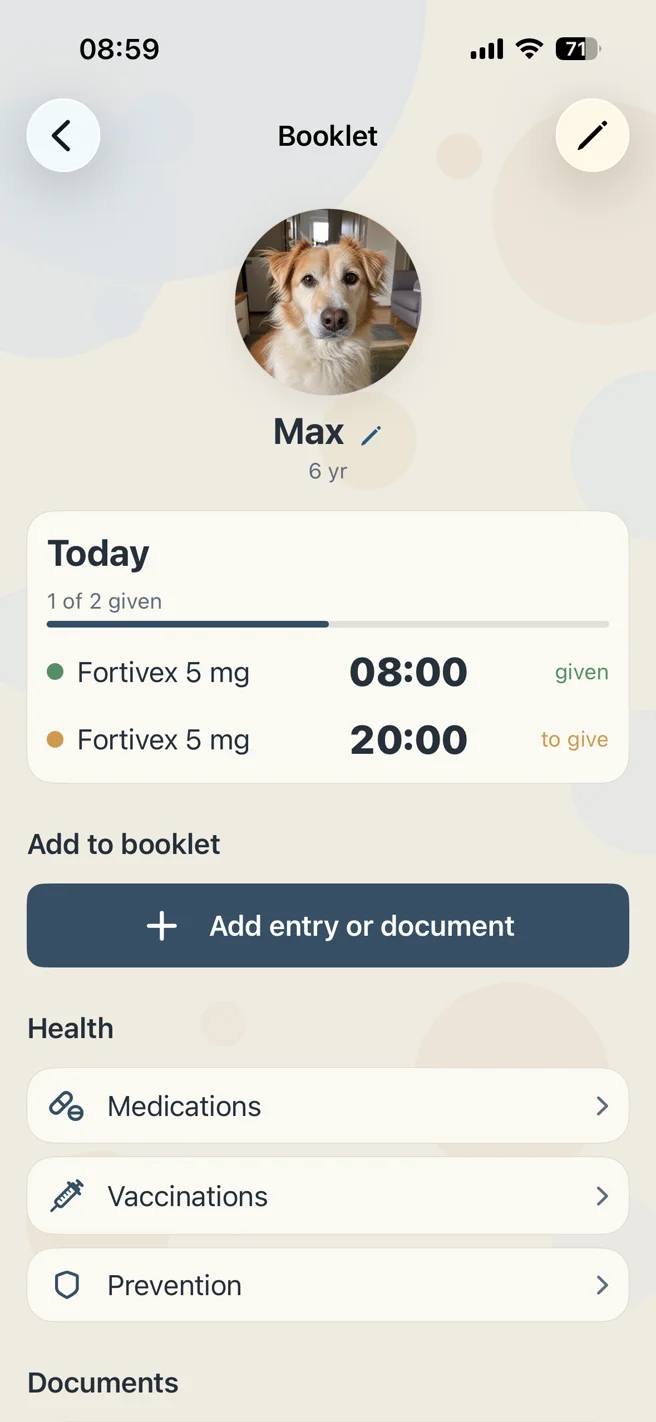
Today's doses sit right on the home screen, and a notification covers each one.
A dose log
Given and missed doses stay in the history, so you can answer "did we give it?" weeks later.
Documents where they belong
Photos of prescriptions, results, and certificates stay attached to their entries.
More than one pet
Each pet gets its own record under the same account.
Closed beta
Help us get Dossipet right.
Leave your email — we'll send a test invitation and the occasional short question about how it's going.